
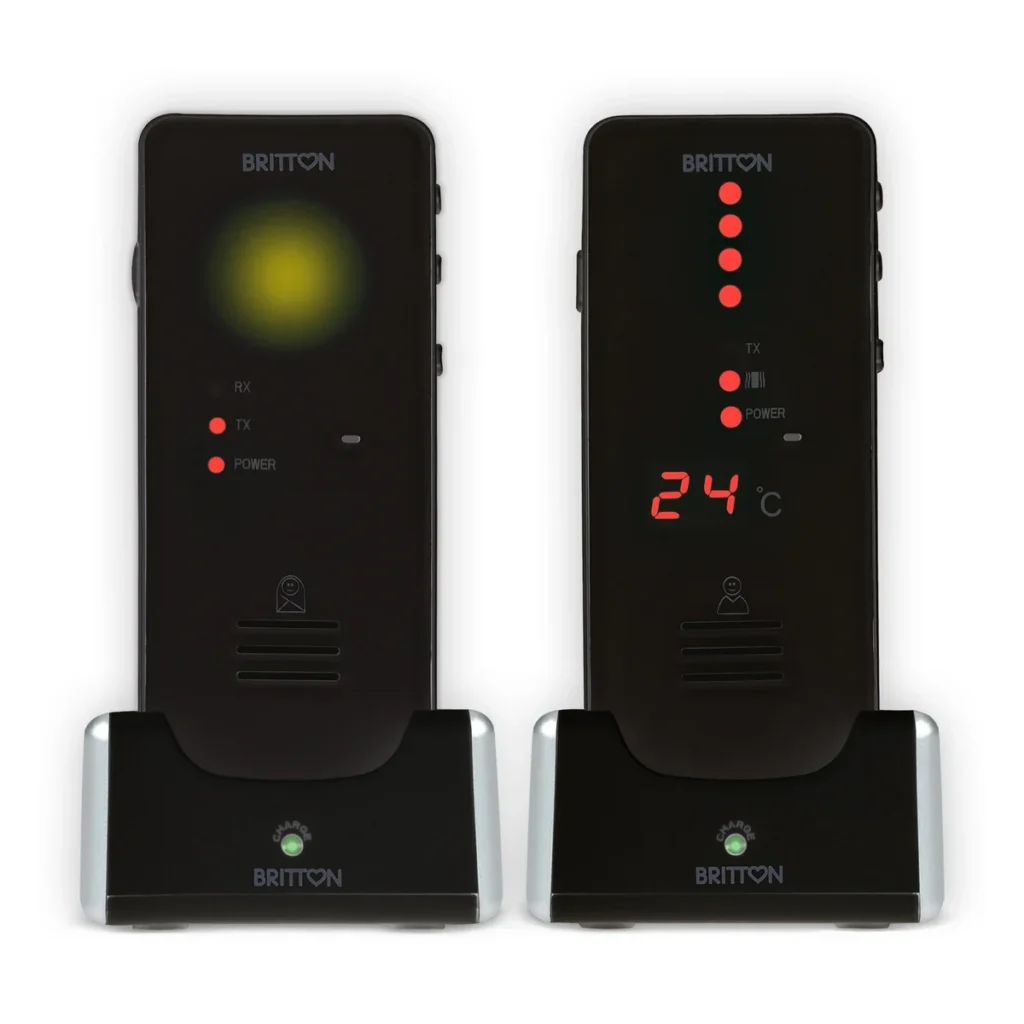
Set up your monitor before the first time you need it. You can check the sound and connection calmly while another adult stays with your baby.
Start with the right power supply
For Britton BC-50Li audio baby monitor, fit the supplied batteries with the correct polarity and charge the switched-off units in their bases for at least four hours before first use. The charging light changes from red to green when charging is complete. Other monitors have different instructions: the camera in Bebcare Motion video baby monitor runs from mains power.
Choose a stable position
Place the BC-50Li baby unit about one metre from the cot with its microphone facing the baby. Keep cords at least one metre from every part of the sleep space and entirely out of reach. Leave the temperature sensor uncovered; it is not a hook or a carrying point.
Test it where you will use it
Turn on both units, set microphone sensitivity and adjust the parent's volume. Check reception in the rooms where you normally spend time. With BC-50Li, release the PTT button after speaking: while you hold it down, you cannot hear the baby's audio.
If sound or charging seems wrong
Check power, battery charge, volume and distance first. Separate the units if they produce feedback. Use the full manual for pairing and alerts.
Check replacement parts carefully
The Britton BC-50Li replacement battery and Britton BC-50Li replacement baby unit are separate replacement products. Confirm contact type and compatibility before buying; the replacement baby unit does not include a battery or charging base. Stop using damaged equipment.
Speli products mentioned in this guide
- Britton BC-50Li audio baby monitor →
- Britton BC-50Li replacement battery →
- Britton BC-50Li replacement baby unit →
- Bebcare Motion video baby monitor →
Read more
View all baby and child products →
Further information: CPSC: Baby monitor cord safety